
How to Make Inclusive and Accessible Content For Twitter

An estimated 16% of the global population, or 1.3 billion people, have some form of disability. Are you making sure that your brand is creating accessible content for this audience? Twitter has the power to bring people together, but without accessibility best practices, you may be excluding a significant number of people.
There are many ways to make your content more inclusive and accessible. This will show your audience that you see and care about them while improving your Twitter engagement rates.
✅ Boost Your Audience's Trust and Inclusivity Today with Tweet Hunter, the Ultimate Tool for Building and Monetizing Your Twitter Empire! Click Here for Unstoppable Success
What is Accessible Content?
Making accessible content means creating posts that provide an inclusive experience for everyone. Content that is not accessible can cause disruptive experiences, such as background noise that takes away from the enjoyment of videos. Creating accessible content improves the experience of everyone involved, regardless of their cognitive or physical abilities.
Why Does Inclusive and Accessible Content Matter?
Without inclusive and accessible content, you may be missing out or alienating a part of your audience. If your content is accessible, more people will be able to engage with it. This has an impact on your reach.
Technology has made it easier for personal brands to provide an inclusive experience for people with disabilities, from captions to sticky keys. Good marketers care about the experience their audience has when they engage with them on Twitter. This will not only help your audience but will also help you build trust and gain long-term followers that appreciate your efforts to promote inclusiveness.
Accessibility Guidelines for Twitter
Twitter has several tips and guidelines for making content accessible.
Text Content Guidelines
When posting text tweets, follow these content guidelines to improve accessibility:
- Keep your tweets brief and concise. This will help those with reading disabilities.
- Use CTAs that are descriptive to help those who use screen readers and other technology. Instead of calls to action that just say “learn more,” use “learn more about our product here.”
- Avoid slang or jargon. Use plain language that will be accessible to even those with cognitive disabilities and non-native speakers.
- Limit your use of ASCII art or Unicode characters that may not be accessible to those using screen readers. If you do, include image descriptions.
- Use camel case when writing hashtags. This means capitalizing the first letter of each word in the hashtag. For example, instead of #nationalindigenouspeoplesday, write #NationalIndigenousPeoplesDay.
Image Content Guidelines
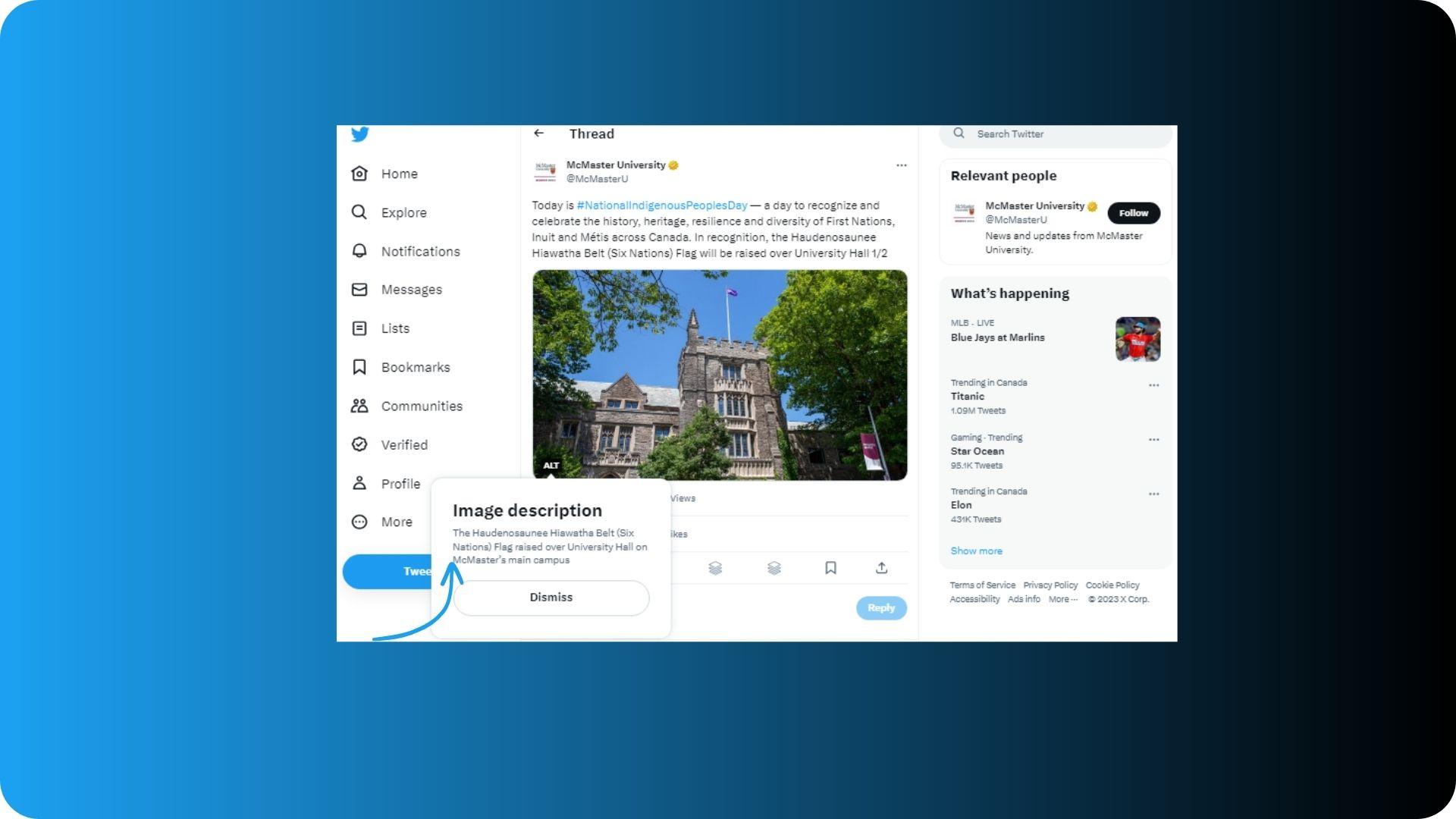
Use alt text or image description to describe images in your tweets. Ideally, the alt text should be descriptive but short. The image description should also explain the object of the image, tell what’s happening, and provide some context.
Video Content Guidelines
When posting videos on Twitter, follow these guidelines to make content accessible:
- Use closed captions in your videos. Closed captions will display dialogue and provide a description of background music, cues, and more.
- You can also include a link to a video summary or transcription. Those with cognitive or sensory disabilities can access video content in the text format.
8 Tips to Make Inclusive and Accessible Content
Creating accessible digital content is easy once you are aware of the best practices. These eight tips will show you how to implement accessibility best practices today.
1. Use Alt Text for Images
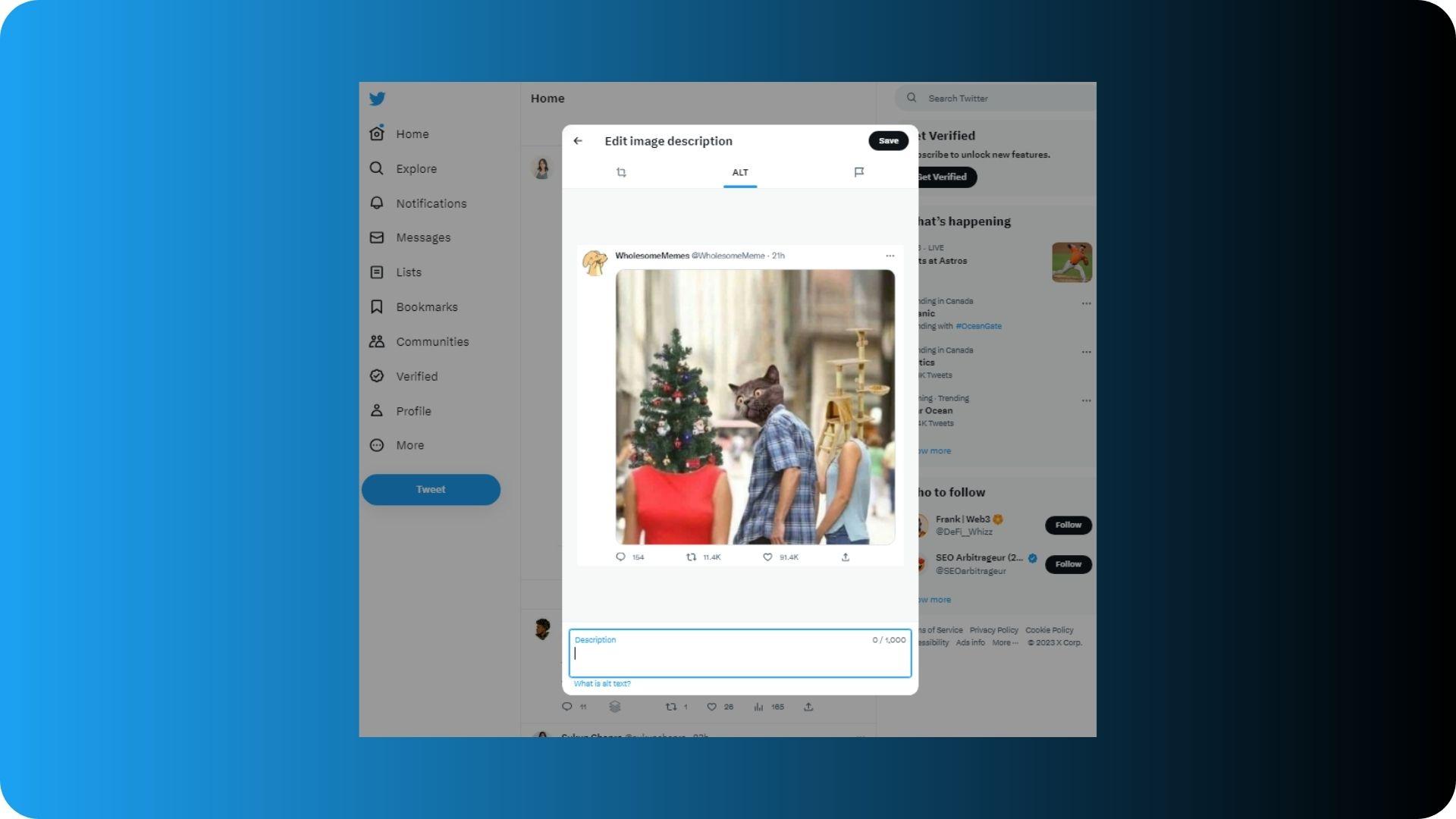
Alt text or alternative text is an informative image description that can be used by screen readers to describe an image. Using alt text is easy, but it still remains underused on Twitter. When writing alt text for Twitter images, think about what is vital about the image for someone to know. Include context, and if relevant, you can also include keywords because alt text does play a role in SEO.
Here's how to add alt text to your image on Twitter.
- Add an image to your tweet.
- Click “Add description.”
- Enter your description and click “Save.”
2. Don’t Use Emojis Too Often
When you write a tweet with an emoji, screen readers can describe the emoji, for example, a laughing face. While you can use an emoji here and there in your tweets, try to avoid using multiple emojis in a single tweet. If most of your tweet is made up of emojis, it can be a frustrating experience for visually impaired users.
3. Add Closed Captions to Videos
If you regularly share video content on Twitter, those with hearing loss might not be able to enjoy the video. A large number of people tend to watch videos on Twitter without the sound turned on. Include subtitles or closed captions so that everyone can enjoy them.

4. Make Hashtags Accessible
The fewer hashtags you use, the better. Hashtags, especially when they are all in lowercase, can be difficult for people to read with or without a disability. When you have a bulk of hashtags in your tweet, it is difficult for those using keyboard tags to understand your content.
A simple tweak to consider is using camel case, as discussed above, to make your hashtags more readable and accessible. Capitalize the first letter of each word in your hashtag to make it more comprehensible.

5. Avoid Using Too Many Abbreviations and Acronyms
If you want to learn how to write great tweets, make your tweets easy to understand and clear. Use an online tool to check the readability score of your tweets. Avoid acronyms, abbreviations, and short forms, which may be confusing and difficult for some people to understand. Instead of “IRL,” simply write “in real life.”
6. Use High-Contrast Visuals
Visuals on Twitter can be incredibly powerful to get the attention of your readers. Use high contrast to make your graphics easy to interpret. This will also help ensure that if you have text on the graphics, they will be easily visible. A good color contrast makes an image easy to decipher for those with visual impairment.
7. Use Inclusive Language
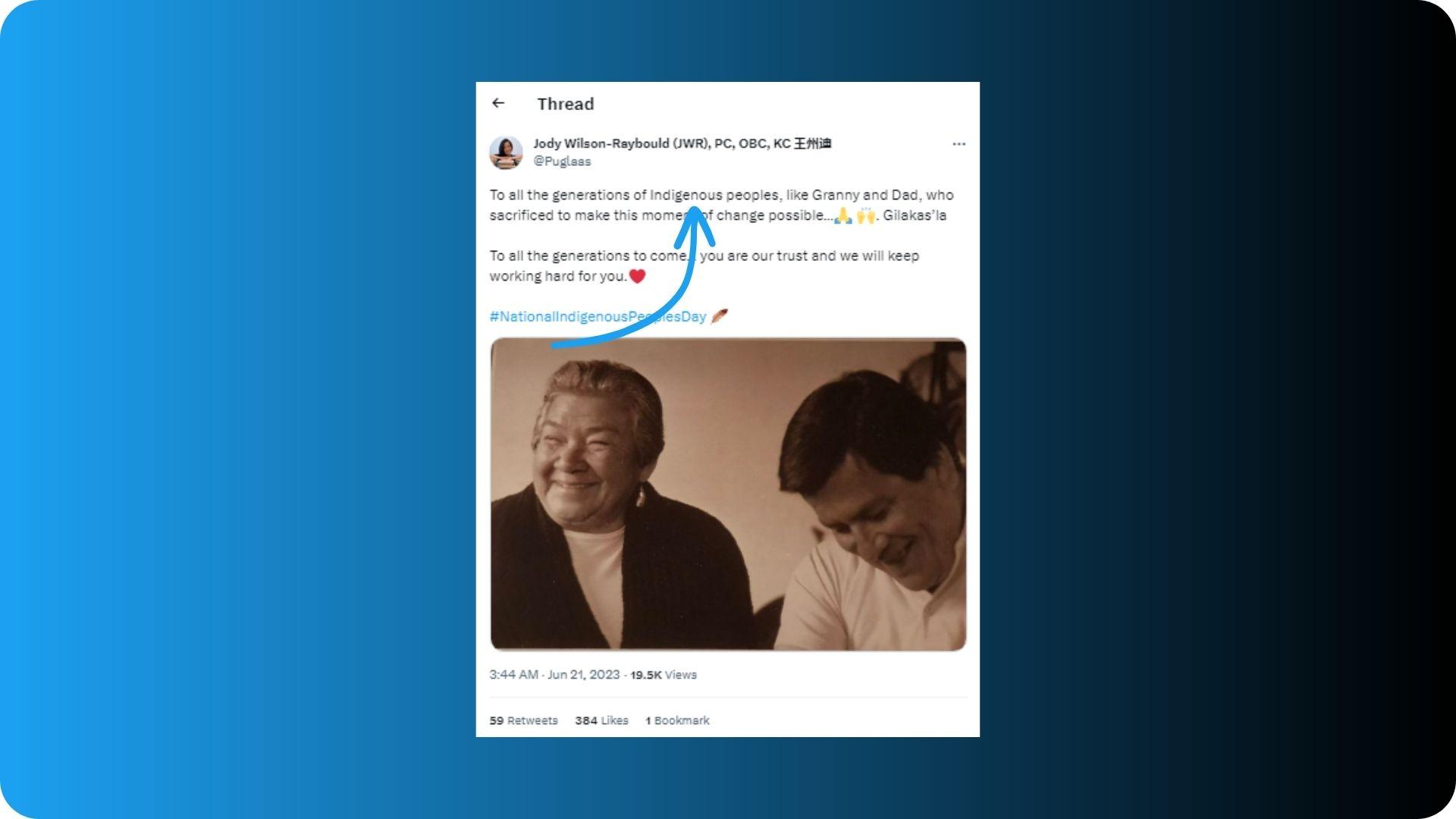
Inclusive language is language that is respectful, and free of discrimination, or bias. Use it in your tweets to make every follower feel welcome and seen. Watch for outdated cultural appropriation, references, and phrases that may be considered offensive. For example, instead of American Indian or Indian, use the word indigenous. Keep learning, and when in doubt, ask respectfully.
8. Share Multiple Voices If You Can
If you want your personal brand to be inclusive, share content from people with diverse backgrounds and voices. Give voices to people who might otherwise not have that avenue. Get your team members involved and showcase their stories as a part of your content strategy. Collaborate and co-create content with diverse influencers and creators.
You don’t have to be perfect; you just need to start. The sooner you start writing accessible content, the better.
✅ These Twitter accessibility best practices can help you gain the trust of your audience and show them that everyone’s welcome. Using a Twitter tool like Tweet Hunter can turbocharge your efforts by providing you with the tools and resources you need to build and monetize your Twitter audience.