
2,847 creators joined this month
Grow your 𝕏 audience 3x faster
AI writing, viral tweet library, smart scheduling, and lead finder. All in one tool.
Try Tweet Hunter for free7 day free trial - Money back guarantee
Scheduling tweets manually is a waste of your time. You write the tweet, open Twitter, paste it, set the time, and repeat. Every single day.
I've been scheduling tweets for 3+ years. I've tried every tool worth trying. Some are simple queues. Others are full-blown growth platforms with scheduling built in.
Here are the 10 best Twitter scheduling tools in 2026, with honest takes on what each one actually does well.
Before we compare tools, let's be clear on why scheduling matters:
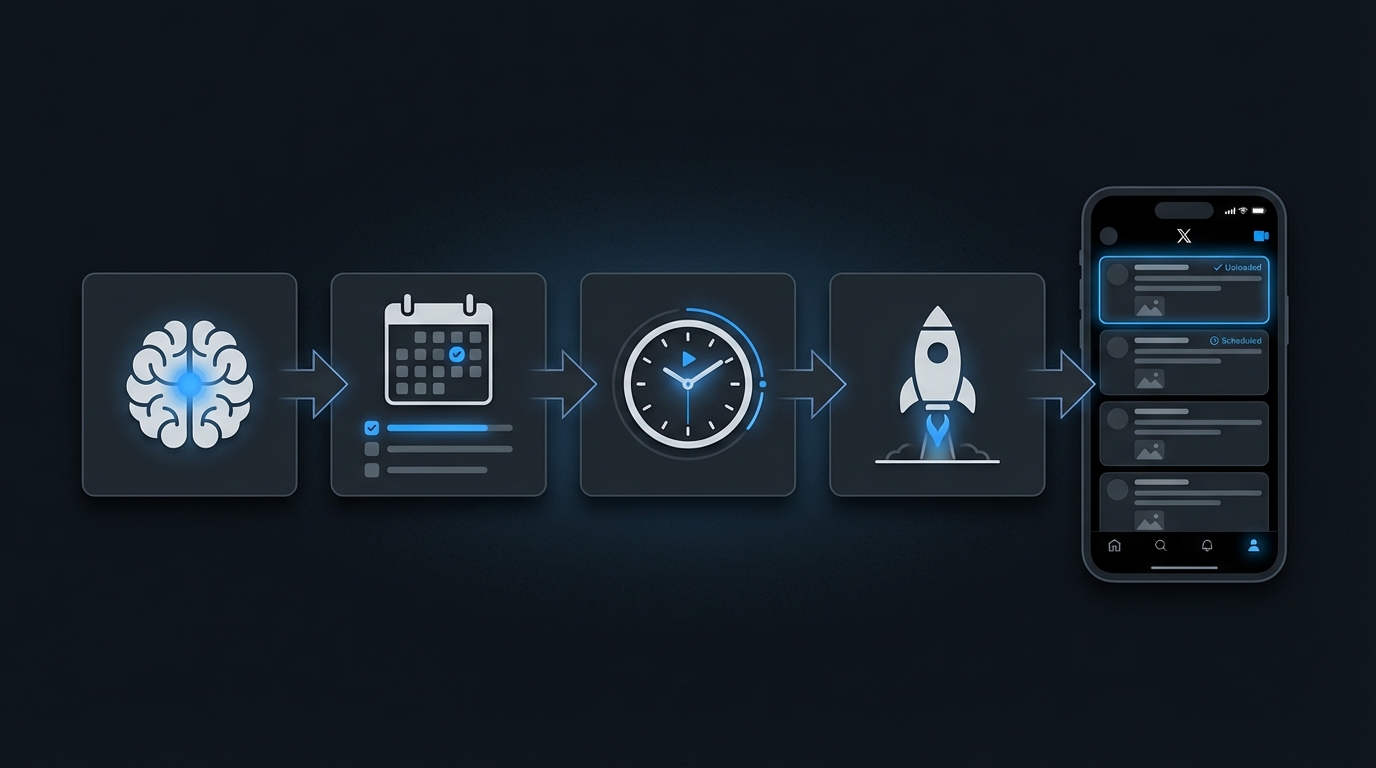
A good scheduling tool should make this process effortless. Let's see which ones deliver.
TweetHunter
Typefully
Hypefury
Buffer
Hootsuite
Later
Publer
SocialBee
Feedhive
Circleboom
TweetHunter's scheduling goes beyond a simple queue. It combines AI-powered timing, smart queues, and content suggestions into one workflow.
TweetHunter doesn't just schedule. It tells you WHAT to schedule. The AI writing assistant and viral tweet library feed directly into your scheduling queue. Write, refine, schedule - all in one workflow.
The evergreen recycling feature is a game-changer. Your best tweets get seen by new followers months after you first posted them.
The most complete scheduling experience for Twitter-focused creators. You pay more, but you get scheduling + content creation + analytics in one tool.
Scheduling Score: 9.5/10
Typefully was built for writers. Its scheduling features reflect that focus.
The writing experience. Typefully treats every tweet as a piece of writing worth crafting. The thread editor makes it easy to restructure long threads without copy-pasting.
The cross-posting to LinkedIn is seamless. Write once, publish to both platforms with platform-specific formatting.
If you write threads regularly, Typefully's editor is worth the subscription alone. Scheduling features are solid but not as deep as dedicated growth tools.
Scheduling Score: 8/10
Hypefury organizes your content into categories and rotates through them automatically. Smart system for maintaining variety.
The auto-plug feature. Set it once and every tweet that crosses your engagement threshold gets a promotional reply. Hands-free monetization.
Category-based scheduling also prevents the common mistake of posting 5 promotional tweets in a row. The system enforces content variety.
Great for creators who sell products and want scheduling that includes built-in monetization. The category system is genuinely clever.
Scheduling Score: 7.5/10
Buffer is the tool your non-technical friend can use. Clean, simple, reliable.
Simplicity. Buffer does one thing well: it lets you schedule posts across multiple platforms without any learning curve. Open it, write, schedule, done.
The free plan is generous enough for individuals just starting out.
Best for people who want scheduling without complexity. No AI bells, no engagement automation. Just a reliable queue. Per-channel pricing adds up fast if you manage multiple accounts.
Scheduling Score: 7/10
Hootsuite is built for teams managing dozens of social accounts. Its scheduling reflects that enterprise focus.
Scale. If you manage 20+ social accounts across a company, Hootsuite's scheduling infrastructure handles it. The approval workflows prevent junior team members from posting without review.
The bulk upload via CSV is essential for agencies planning months of content at once.
Overkill for individual creators. The scheduling features are powerful but buried inside a complex interface. Worth it only if you manage social at scale.
Scheduling Score: 7/10 (for enterprise), 4/10 (for individuals)
Later started as an Instagram scheduling tool and expanded to Twitter. Its strength is the visual calendar interface.
Later is an Instagram-first tool. Twitter support exists but feels secondary. The visual calendar is nice, but if Twitter is your focus, you'll miss the text-focused features other tools offer.
Scheduling Score: 5.5/10 (for Twitter)
Publer gives you solid scheduling at a price that's hard to beat.
Best value for money if you need basic scheduling across multiple platforms. No Twitter-specific growth features, but the scheduling itself works reliably.
Scheduling Score: 6.5/10
SocialBee's entire scheduling philosophy is built around content categories and evergreen recycling.
If you have 100+ evergreen tweets and want to maximize their lifespan, SocialBee's recycling system is the most sophisticated available. The variations feature prevents your recycled content from looking repetitive.
Scheduling Score: 7/10
Feedhive uses AI not just for content creation but for scheduling decisions.
The conditional posting feature is unique and useful. If you want smarter scheduling decisions without manual analysis, Feedhive's AI adds real value. The overall platform is still maturing compared to established competitors.
Scheduling Score: 7/10
Circleboom combines scheduling with Twitter account management. It's two tools in one.
The scheduling is adequate but not exceptional. Where Circleboom adds value is the account management side - identifying inactive followers, cleaning up your following list, and understanding your audience demographics. If you need both, it's a decent combo.
Scheduling Score: 6/10
Slot-based queues (Buffer, TweetHunter) let you set specific times for each day. Drop a tweet in and it fills the next slot. Simple and predictable.
Category-based queues (Hypefury, SocialBee) organize tweets by topic and rotate through categories. More complex to set up, but ensures content variety.
My take: start with slot-based. Move to category-based once you're posting 3+ times daily and need to maintain balance.
Every tool claims to find your "best time to post." Here's the reality:
Don't overthink timing. Pick reasonable slots and focus on content quality.
If you write threads, test the thread editor before committing to a tool. Bad thread editors make writing painful:
Recycling lets you repost your best content automatically. This matters because:
Best recycling: SocialBee, TweetHunter, Hypefury
Ask yourself these 3 questions:
Yes: Choose a Twitter-specific tool (TweetHunter, Typefully, Hypefury). You'll get features designed for how Twitter actually works.
No: Choose a multi-platform tool (Buffer, Publer, SocialBee). You'll sacrifice Twitter depth for platform breadth.
1-3x per week: Buffer's free plan is enough. Don't overpay for features you won't use.
Daily: You need a proper queue system. Typefully or Hypefury work well.
3+ times daily: You need category-based scheduling or evergreen recycling. TweetHunter or SocialBee handle high volume best.
Just scheduling: Buffer or Publer. Keep it simple and cheap.
Scheduling + writing help: Typefully or Feedhive. Get AI assistance without paying for features you don't need.
Scheduling + growth engine: TweetHunter. The scheduling is part of a complete growth system including AI, CRM, and engagement tools.
For most people reading this article, I'd recommend two options:
Starting out? Use Buffer's free plan. Build the habit of consistent posting. Don't invest in tools until you're posting at least 5 times per week.
Ready to grow? Use TweetHunter. The scheduling alone is excellent, but you also get AI writing, a viral tweet library, and engagement tools. It's the difference between scheduling tweets and actually growing your account.
Start with TweetHunter's free trial. Schedule your first week of content in 30 minutes. Then let the results speak for themselves.
Yes. Twitter's native composer lets you schedule tweets for free (click the calendar icon when composing). Buffer also offers a free plan with 10 scheduled posts per channel. These options work for low-volume posting.
For most creators, 2-3 tweets per day is the sweet spot. One in the morning, one midday, one in the evening. High-volume accounts can go up to 5-7 per day, but only if quality stays high.
No. Twitter's API handles scheduled tweets identically to manual tweets. The algorithm doesn't know or care if you scheduled in advance. The only risk is scheduling time-sensitive content that becomes irrelevant by the posting date.
Most modern scheduling tools support thread scheduling. TweetHunter, Typefully, Hypefury, and Buffer all let you compose and schedule full threads. Always preview your thread before scheduling to catch formatting issues.
Between 8-10am in your audience's primary timezone typically works best. Tuesdays through Thursdays tend to outperform weekends. But testing matters more than rules. Schedule at different times for 2-3 weeks and check your analytics.
AI writing, viral tweet library, smart scheduling, and lead finder. All in one tool.
Try Tweet Hunter for free